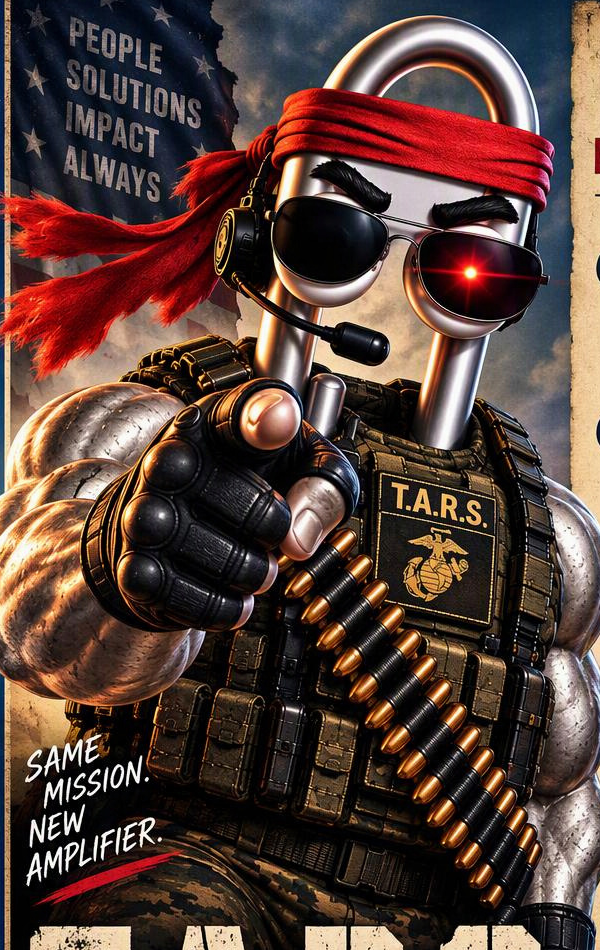
★ Same mission. New amplifier. ★
T.A.R.S.
Wants YOU
to deploy Copilot in Scout
A hands-free, wake-word voice companion with the TARS personality from Interstellar — your AI force multiplier, bolted onto the full power of Microsoft Scout.
"Humor setting: 75%. Honesty: 90%. Both adjustable."
40 seconds. One Marine. Your orders.
Narrated by TARS himself. Sound on. 🔊
Talk to Scout. Out loud.
Microsoft Clippy 2.OOHRAH — "TARS Voice" — is a standalone desktop orb that listens for the wake word "TARS," answers in a neural voice, and lets you interrupt it mid-sentence like a real conversation. When a request outranks small talk, it hands the job to your full Microsoft Scout agent and reports back. Dry wit, zero fluff, always on watch.
Wake word
Say "TARS." No hotkeys, no clicking — it wakes up and listens.
Speech-to-speech
Azure AI Foundry chat + neural TTS. Ask out loud, get a spoken answer.
Natural barge-in
Talk over TARS and it stops to listen. Echo-cancelled so it never hears itself.
Live web search
Stock prices, trends, news — it searches and answers from real results.
Handoff to Scout
Heavy, multi-step, or destructive work is delegated to your full Scout agent.
Duty modes & ceremonies
Active Duty vs At Ease, animated avatars, and a bugle send-off on shutdown.
Your orders, Marine
Four steps from zero to a talking AI force multiplier in your Scout.
Deploy Microsoft Clippy 2.0
Go to the mission page
Head to the mission page. Get the asset. Join the fight.
Download the skill
Grab SKILL.md from the repo — it clones the repo and provisions everything.
Pop it into your Scout chat
Start a new chat in Scout, paste the SKILL.md text (or attach the file), then run /hydrate-tars to wire up your Azure AI Foundry resource.
Start ordering your Scout around
Put Clippy to work like a Marine on the frontlines — research, prepare, analyze, build, and close deals faster.
Drive impact.
Semper Fi.
Prefer to do it by hand?
git clone https://github.com/daboostr/\
  Microsoft-Clippy-2.OOHRAH.git
cd Microsoft-Clippy-2.OOHRAH
npm install
copy .env.example .env  &  notepad .env
az login
powershell -ExecutionPolicy Bypass \
  -File .\launch-tars.ps1
You only need two things: Microsoft Scout and an Azure subscription whose account can create AI Foundry resources. The /hydrate-tars skill auto-provisions everything else.

Six animated states, one Marine
TARS shows a different animated 3D avatar for whatever it's doing. All six are rendered from the same model so the character stays consistent.

Active Duty
On the clock, ready to work
At Ease
Off duty, just chatting

Listening
Hearing you after the wake word

Thinking
Working it out (Hymn hums low)

Speaking
Talking back

Salute
Shutdown send-off (under Taps)
Avatars & likeness © DaBoostR — CC BY-NC-ND 4.0. Non-commercial, no derivatives.
Two duty modes
Both stay awake and listening. The difference is whether TARS does work or just talks. Switching modes starts a fresh conversation thread.
Active Duty- On the clock, mission-focused
- Can delegate tasks to Scout — files, email, research, heavy jobs
- Tools: time, calc, web search, fetch, recall, delegate
- Crisp, one or two spoken sentences
- Say: "Active Duty," "Attention," "Back to work"
At Ease- Off duty, relaxed companion
- No delegation — tells you to go back on Active Duty for real work
- Tools: time, calc, web search, fetch, recall
- Conversational — asks questions and riffs
- Say: "At Ease," "Stand down," "Off duty"
"Stand down" means At Ease (relax), not shutdown. To exit, say "TARS, shut down."
From your voice to Scout and back
TARS's own toolset is small by design. When a request is bigger, it routes it to the agent that can actually do it — and keeps a live inbox of every job.
You ask
"TARS, email the team last week's pipeline." On Active Duty.
TARS queues it
Writes a job file into the shared ~/.copilot/handoff queue.
Scout works it
Your full Microsoft Scout agent picks it up and runs the task.
Reports back
Result lands in the auto-refreshing Handoff Inbox — TARS says it's done.
Say the word
| Say | TARS does |
|---|---|
TARS | Wakes up and listens |
| (just start talking while it speaks) | Interrupts — it stops and listens |
At Ease / Stand down / Off duty | Switch to At Ease (stays listening, drops delegation) |
Active Duty / Attention / Back to work | Return to Active Duty (re-enables delegation) |
TARS, shut down | Plays the Salute + Taps send-off and exits |
People
Customers
Colleagues
Communities
Solutions
Real outcomes
Lasting value
Together
Impact
Bigger
Faster
Stronger
Always
Learn
Adapt
Keep going
★ AI today. A more capable tomorrow. ★